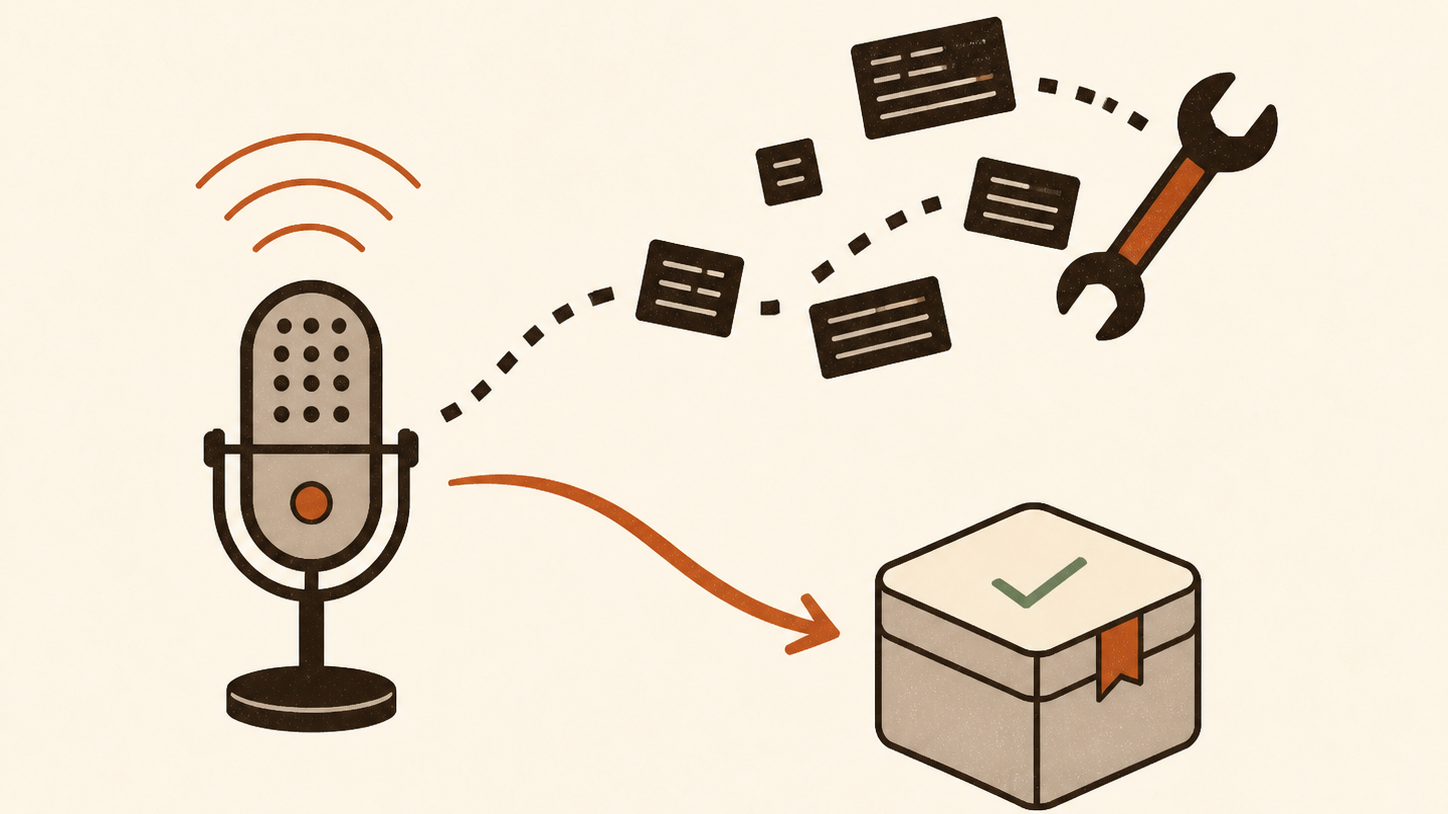
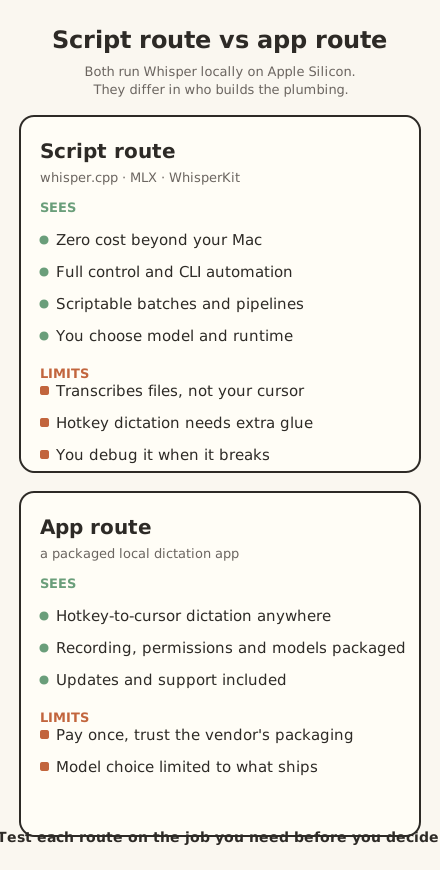
Running Whisper locally on an Apple Silicon Mac comes down to two routes. You can install a script: whisper.cpp, the MLX Python package, or WhisperKit, all of which transcribe audio on your machine for free. Or you can buy a packaged dictation app that puts recording, transcription and text insertion behind a hotkey. The script route wins when you want zero cost beyond the Mac, full control and CLI automation, and you are comfortable debugging. The app route wins when you want dictation that behaves like a feature rather than a project, and your time is worth more than the one-time price. The current commands and a short workflow trial will tell you which route fits.
The real difference: files versus dictation
The first thing to understand is that "running Whisper locally" covers two different jobs.
A script like whisper-cli transcribes an audio file and writes the text somewhere: a file, stdout, or whatever your pipeline does next. That is brilliant for batch work: meetings, lectures, podcast notes, a folder of recordings. It is not dictation. Nothing listens for a hotkey, nothing inserts text at your cursor, and nothing asks for microphone or accessibility permissions on your behalf. [1]
Dictation is the harder job. It means recording while you speak, transcribing on release, and pasting clean text into the app in front of you, system-wide. The transcription model is only part of that chain. One Mac user on Hacker News described building a Python script that records while the right Option key is held, transcribes with whisper.cpp and pastes the result, then noted that the glue, hotkeys and accessibility permissions, is the part that takes the work. [6] That gap between "I can transcribe a file" and "I can dictate anywhere" is the real choice you are making.
The script route: three ways to run Whisper yourself
All three options below are free, open source and run fully on your Mac. Pick one, do not install all three.
whisper.cpp: the command-line classic
whisper.cpp is a C/C++ port of OpenAI's Whisper, designed for high-performance inference with no Python dependency. Its README treats Apple Silicon as a first-class target: ARM NEON, the Accelerate framework, Metal and Core ML are all supported, and on Apple Silicon the inference runs fully on the GPU via Metal. [1]
The current quick start, from the README:
The model downloader puts models/ggml-base.en.bin in place, and the CLI transcribes a file with -m models/ggml-base.en.bin -f your-audio.wav. [2] Note the binary is now whisper-cli, so older tutorials that say ./main are out of date.
MLX: the Python route built for Apple Silicon
MLX is Apple's machine learning framework for Apple Silicon, and its Whisper example is the easiest way to transcribe from Python or a one-liner. The setup is two commands:
Then transcribe a file with:
That writes audio_file.txt next to your file. Use --model to pick a different model (the default is mlx-community/whisper-tiny), and -f for output formats. You can also pipe audio in from another command. The same package exposes a Python API, so it slots into scripts cleanly. [3]
WhisperKit: the Swift and Core ML route
WhisperKit is Argmax's on-device speech toolkit for Apple platforms, now part of the Argmax OSS Swift package. It is the route to take if you want to build a native Mac or iOS app rather than run a command. For quick tests there is a Homebrew CLI:
And from Swift, transcription is roughly this short:
The package requires macOS 14 or later and Xcode 16 or later, and it downloads a Core ML model automatically on first use. [4] The short transcription call is the easy part. Recording controls, permissions and reliable text insertion are still yours to build.
Model sizes and the memory question
Whisper models come in sizes, and the size matters twice: on disk and in memory while loaded.
The whisper.cpp documentation separates file size from approximate runtime memory. Tiny is 75 MiB on disk and about 273 MB in memory; base is 142 MiB and about 388 MB; small is 466 MiB and about 852 MB; medium is 1.5 GiB and about 2.1 GB; large is 2.9 GiB and about 3.9 GB. [1] Quantised files can be smaller: the model list puts large-v3-turbo-q5_0 at 547 MiB on disk. [2] Those figures are a planning guide, not a guarantee for every runtime and audio length. An M1 report in the whisper.cpp issue tracker logged about 3.1 GB of Metal model memory for large-v2, while the same issue records a separate long-audio memory bug that the reporter later said had been fixed. [7]
For a first test, start with base.en or small. Either is enough to reveal whether you like the local workflow without committing several gigabytes to the largest model. Move up only if the smaller model makes too many meaning-changing corrections on your own recordings.
What the app route buys you
A packaged local dictation app can wrap the same Whisper family into something that behaves like a Mac feature. You press a hotkey, speak, and text appears at the cursor in the app you are using. A capable app handles microphone access, accessibility permissions, model downloads and text clean-up. Check the particular app before buying, because local processing alone does not guarantee all of those features.
That is the honest trade. You pay once, and in return you do not administer a transcription pipeline. You trust a vendor's packaging instead, and you are limited to the models the vendor ships and the way they choose to run them. For someone who wants to dictate, not compile, that is usually the right bargain.
ShoutFlow is the example we know best, so we will be straight about it. Its public offer uses WhisperKit for local transcription and MLX for local text clean-up. It is a one-off purchase for Apple Silicon and requires macOS 14 or later. [5] We checked those implementation claims against the current main branch too, but the public release does not expose a matching source commit. We have not published a controlled latency or accuracy comparison against the script route.
The decision rule
Choose the script route when you can name the specific command you need, want to automate transcription in a pipeline, and enjoy debugging a terminal workflow. The reward is control without paying for an app; the cost is the time you spend building and maintaining the workflow.
Choose the app route when you want to dictate into any app without thinking about the plumbing, and when your time is worth more than the one-time price. The cost is money and a fixed set of features. The reward is that it works like a feature.
If you are unsure, do not decide from this article. Run the test.
A test that tells you what your Mac can do
You do not need a benchmark suite to answer "is local Whisper good enough for me". You need a short passage, a stopwatch and your normal workload running. The two routes take different inputs, so this is a workflow trial rather than a controlled accuracy benchmark.
- Write a short passage with names, numbers and words you use often. Record yourself reading it with your usual microphone and save the file as WAV or MP3.
- Install one script route. The MLX route has two installation commands: brew install ffmpeg and pip install mlx-whisper. Then run mlx_whisper your-file.mp3 --model mlx-community/whisper-small-mlx. [3]
- Run it twice. On the second run the model is warm. Measure from the moment the command starts to the moment the final text appears, and count the corrections that change meaning.
- Open Activity Monitor during the run and note memory pressure with your browser and editor open. That answers the 8 GB question for your machine, not for someone else's.
- Read the same passage live into the app of your choice, if it offers a trial. Measure from the end of speech to text appearing at the cursor, then count meaning-changing corrections. Do not call the accuracy comparison controlled: one route received a file and the other received live microphone input.
You are testing the delay and maintenance burden you will actually live with, not a vendor's throughput figure. If the script handles your files quickly and you like the control, stay with it. If the app makes everyday dictation easier enough to justify its price, use the app.
Start with the test
Both routes let you try local Whisper without committing to a subscription. Run the short test with your normal apps open. Keep the script if you need file transcription or automation; choose an app if system-wide dictation is worth paying for. The model is local either way. The plumbing is the purchase decision.